

Audit Team & Roles
Every audit has a team — the group of people involved in planning and conducting it. Assigning the right people with the right team roles ensures responsibilities are clear before fieldwork begins.
Assigning team members
Section titled “Assigning team members”On the audit’s object page, open the Team section:
- Choose Add Team Member
- Select a Person from the master data Persons list (see People & Business Partners)
- Assign a Team Role — e.g. Lead Auditor, Auditor, Auditee, Observer (see below)
- Save
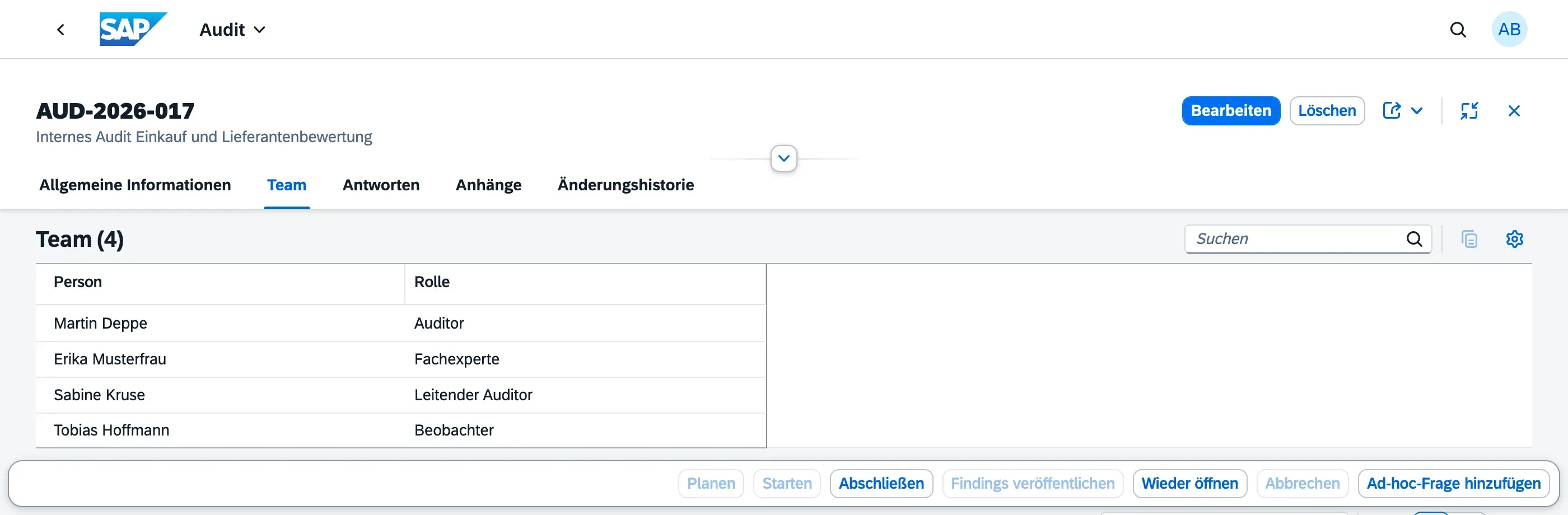
A person can only be added once per audit, but the same person can be a team member on multiple audits, potentially with different team roles each time.
Team roles
Section titled “Team roles”Team roles describe a person’s function within a specific audit. They are configured in Master Data → Classifications & Codelists and typically include:
| Team Role | Function |
|---|---|
| Lead Auditor | Leads the audit, coordinates the team, and is usually the primary contact for the auditee |
| Auditor | Conducts fieldwork and documents findings |
| Auditee | Represents the area being audited; responds to findings and completes action items |
| Observer | Attends the audit without an active role, e.g. an auditor in training |
Your organization can configure additional team roles to match its own process.
Independence warning
Section titled “Independence warning”Auditors are expected to be independent of the area they audit (ISO 19011). If you add a team member — or set the Lead Auditor — whose own org unit matches the audit’s org unit, qportal shows a warning message pointing out the potential conflict of interest.
This is a warning, not a blocker: your organization may be too small to always staff a fully independent team, and you can save anyway if the assignment is intentional. Use the warning as a prompt to double-check the assignment, or to document why it was accepted.
Team locking
Section titled “Team locking”The team can be changed freely while the audit is in Draft or Planned status. Once the audit moves to In Progress, the team is considered active for the fieldwork period — see Audit Lifecycle for the full status flow.
Next Steps
Section titled “Next Steps”- Conducting Fieldwork — what auditors do once the audit starts
- Audit Lifecycle — status flow and team locking rules