

Question Catalogs
A Question Catalog is a reusable, versioned checklist of questions used during an audit. Instead of building a new questionnaire for every audit, you create a catalog once and reuse it across multiple audits.
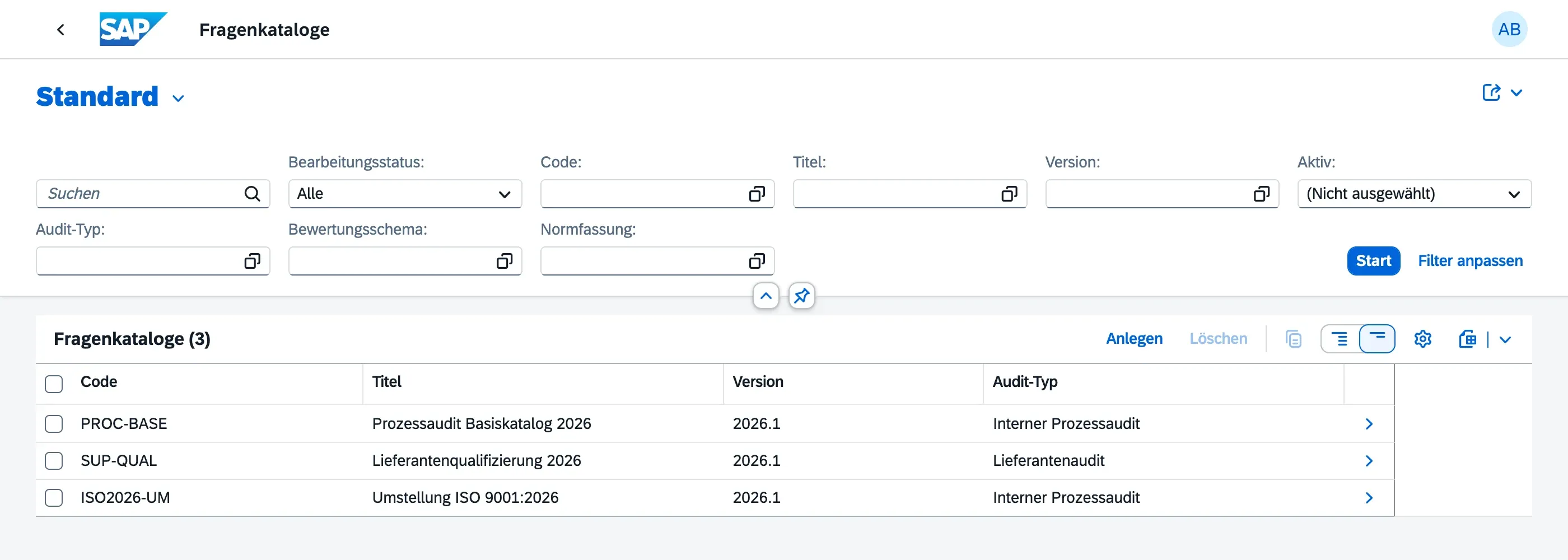
Creating a Question Catalog
Section titled “Creating a Question Catalog”- Navigate to Question Catalogs in the Launchpad
- Choose Create
- Fill in:
- Title — descriptive name for the catalog
- Code — short identifier (unique per version)
- Version — version label (e.g. “1.0”, “2026-Q1”)
- Audit Type — the type of audit this catalog is designed for
- Rating Scheme — determines which rating options auditors can choose per question
- Description — optional free-text description
- Add Questions — see below
- Activate the draft when the catalog is ready for use
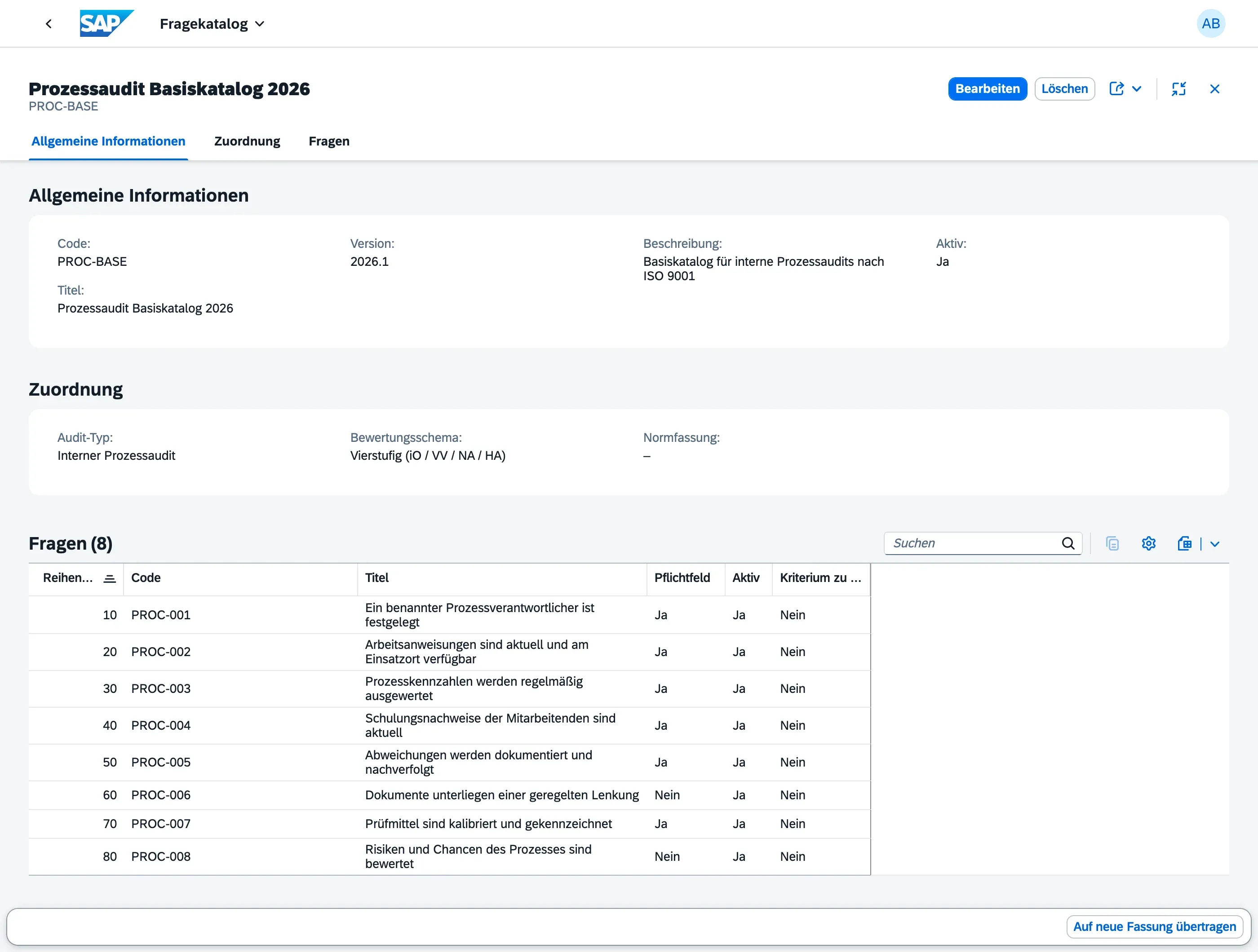
Adding Questions
Section titled “Adding Questions”Each question in a catalog has:
| Field | Description |
|---|---|
| Code | Short identifier, unique within the catalog |
| Title | The question text shown to auditors during fieldwork |
| Help Text | Additional guidance for auditors on how to assess this question |
| Expected Evidence Hint | Description of what evidence auditors should look for |
| Is Mandatory | Whether this question must be answered |
| Display Order | Sequence in which questions appear |
| Audit Criteria | Optional link to a single criterion from the Audit Criteria catalog (e.g. an ISO standard clause or internal procedure) that this question assesses |
When a question has an Audit Criteria set, any Finding created from a response to that question is automatically pre-filled with the same criterion — auditors can still change it on the finding if needed.
Rating Schemes
Section titled “Rating Schemes”Every catalog is linked to a Rating Scheme, which defines the available rating options for auditors. See Rating Schemes for details.
Using a Catalog in an Audit
Section titled “Using a Catalog in an Audit”When creating or editing an audit, you select a Question Catalog. During fieldwork (when the audit is In Progress), auditors work through all questions in the catalog — see Conducting Fieldwork for the step-by-step process.
Versioning
Section titled “Versioning”Question Catalogs are versioned. The combination of Code + Version must be unique.
Once a catalog version is actively used in audits, you should treat it as published and not make structural changes. If you need to revise the catalog:
- Create a new version with the same code but a new version label
- Use the new version for future audits
Existing audits using the old version are not affected — they keep their original question set and responses.
Who Manages Catalogs?
Section titled “Who Manages Catalogs?”Question Catalogs are typically managed by Audit Managers. The MasterDataAdmin role is not required — any user with the AuditManager role can create and edit catalogs.