
Master Data
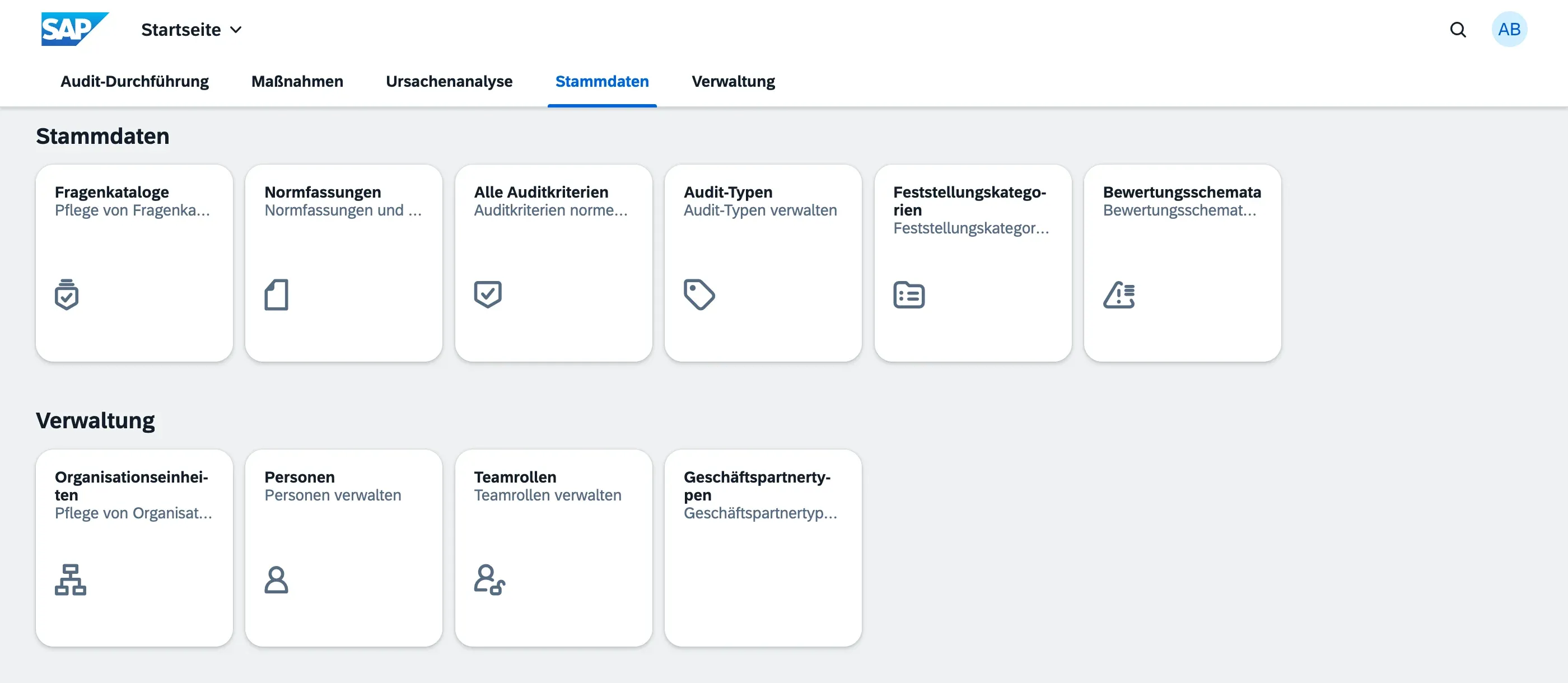
Master Data contains the reference values that all other modules use — audit types, rating schemes, org units, finding categories, and more. This data is maintained by users with the Master Data Admin role.
What’s in Master Data?
Section titled “What’s in Master Data?”Master Data is organized into three areas:
- Organizational Structure — Org Units and Locations, the hierarchy your audits are scoped against
- People & Business Partners — Persons, Business Partners, and Business Partner Types
- Classifications & Codelists — Audit Types, Finding Categories, Action Item Priorities, and Team Roles
Two further reference entities are documented alongside the modules that use them most directly, since they’re tightly linked to fieldwork:
- Rating Schemes — the rating options auditors choose from during fieldwork
- Audit Criteria — the hierarchical catalog of norm clauses and internal procedures
Who Can Edit Master Data?
Section titled “Who Can Edit Master Data?”Only users with the Master Data Admin role can create or edit master data. All other users can view but not change these values.
Impact of Changes
Section titled “Impact of Changes”Changing master data values (e.g. renaming a rating option or audit type) affects all existing records that reference that value. To preserve historical data integrity:
- Archive or deactivate values that are no longer in use rather than deleting them
- Each master data entity has an Active flag — inactive records are hidden from selection lists but retained in the database
- Deleting master data that is still referenced in audits or findings will be rejected by the system