

5-Why Analysis
A 5-Why analysis asks “Why?” repeatedly until you reach a cause you can actually act on. Five levels is the convention, not a rule: stop when you hit something your organization controls, and don’t pad the chain to reach five.
Starting an analysis
Section titled “Starting an analysis”From a finding: open the finding, choose Start Root-Cause Analysis, select 5-Why as the method, and give the analysis a title. qportal creates the analysis and opens it right away.
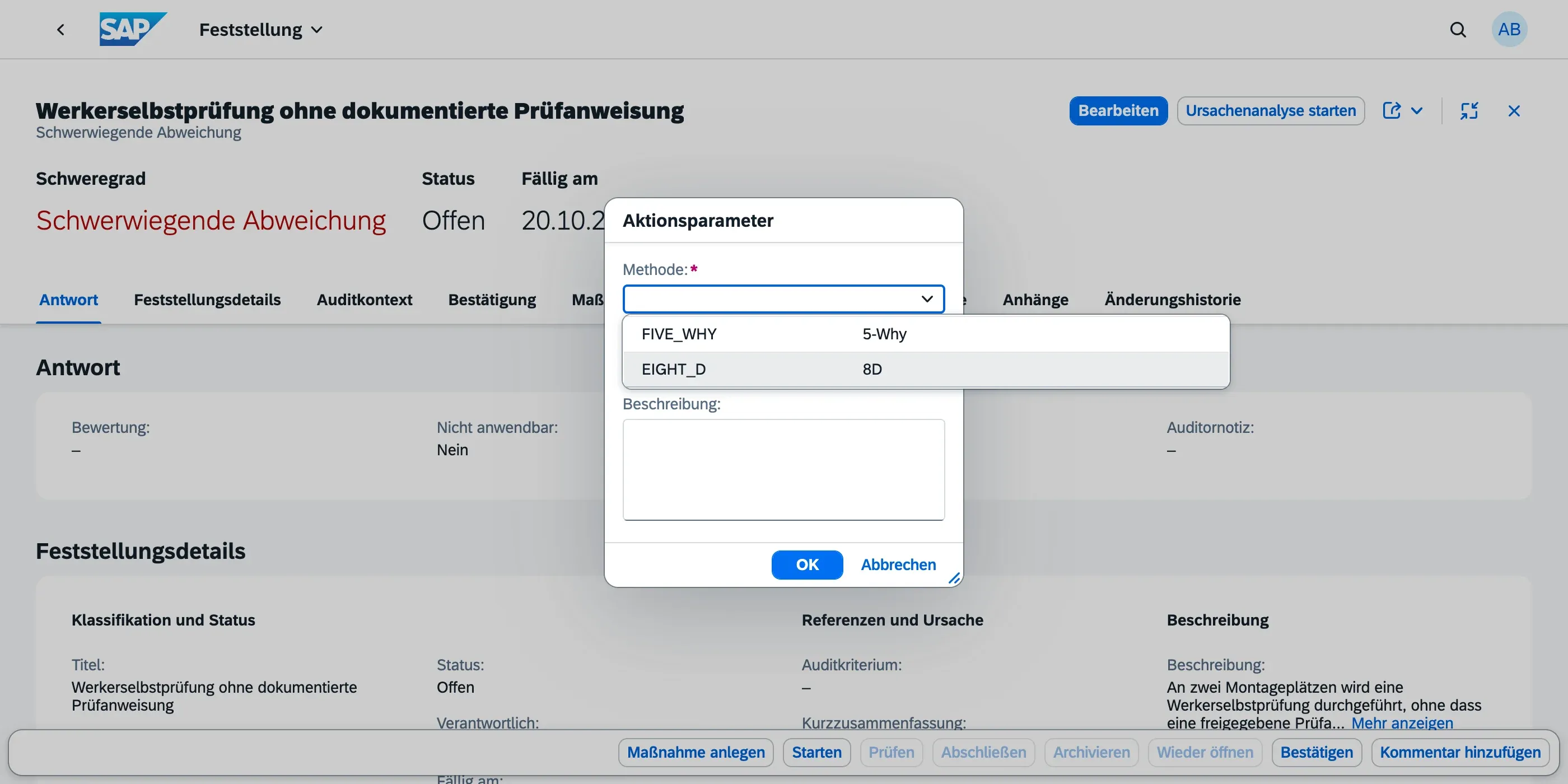
Standalone: open the 5-Why Analyses app and choose Create. Fill in the title and, in Problem Description, what actually happened — one or two sentences that someone uninvolved can understand.
Either way the analysis starts in Draft. Choose Start to move it to In Progress once you begin working on it.
Building the Why chain
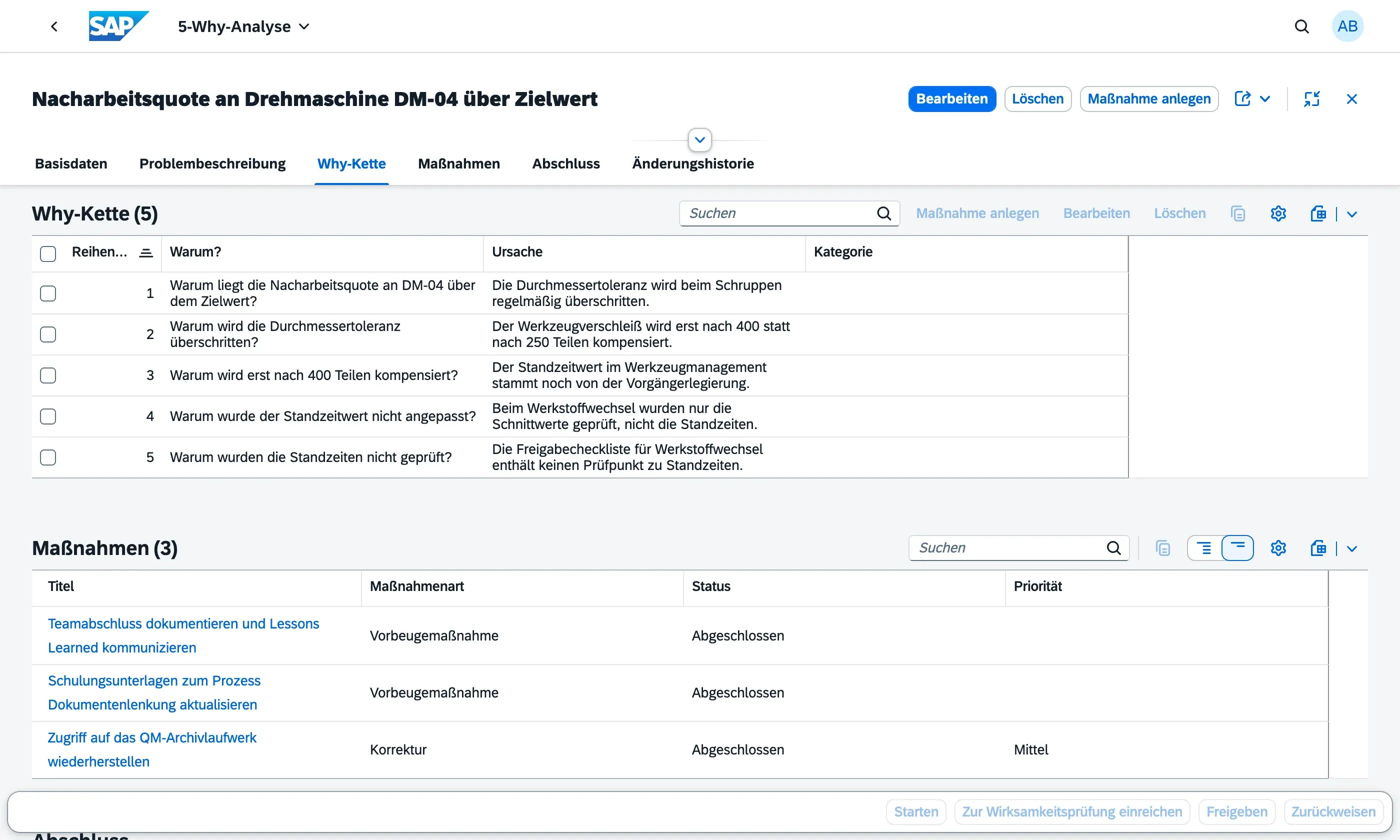
Section titled “Building the Why chain”Open the Why Chain section and add one row per level:
- Sequence No. — the position in the chain (1 to 5)
- Why? — the question at this level
- Cause — the answer, which becomes the question for the next level
- Category — optionally, which of the six cause categories this belongs to (Man, Method, Machine, Material, Environment, Measurement)
Two things worth watching:
- Each answer must be the next question. If level 3’s cause doesn’t obviously produce level 2’s cause, the chain has a gap — someone reviewing it later will find that gap, so close it now.
- Stop at something you control. “Because the supplier changed the process” is a fact, not yet a cause you can act on; “because our change agreement doesn’t require the supplier to notify us” is.
Deriving measures
Section titled “Deriving measures”Once the last cause is on the table, choose Create Action Item to turn it into a real action item — with responsible person, due date and priority. The action item appears in My Actions for the person responsible and in the Action Workbench for oversight, exactly like an action item raised from a finding.
Action items stay open in their own lifecycle after the analysis is closed, so a long-running measure never blocks the analysis.
Finishing up
Section titled “Finishing up”When the chain is complete and the measures are assigned, choose Submit for Verification. A Root Cause Manager then either approves the analysis — which closes it and records who signed it off and when — or rejects it back to In Progress with a note on what is missing. See Analysis Lifecycle.
Finding your analyses again
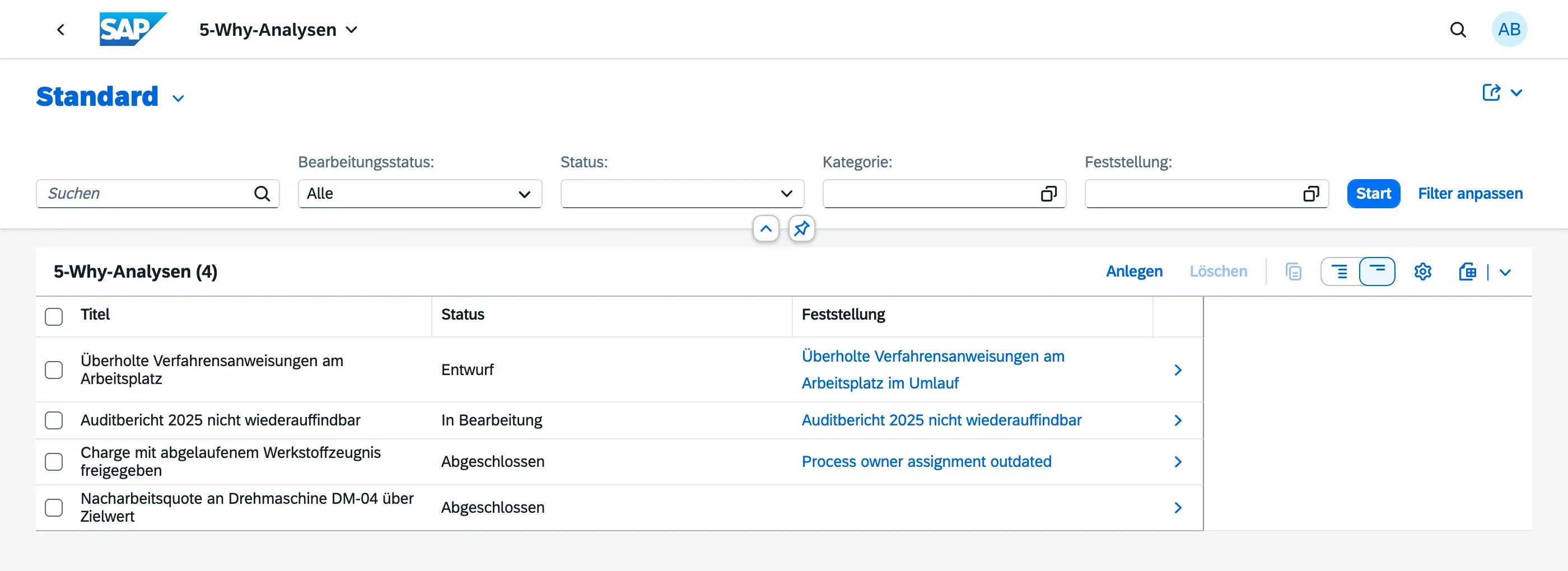
Section titled “Finding your analyses again”The 5-Why Analyses app lists every 5-Why analysis you have access to, filterable by status, category and finding. 8D analyses are not mixed in — they have their own app.
Next steps
Section titled “Next steps”- 8D Analysis — when the problem needs a team
- Analysis Lifecycle — verification and closure