

Overview
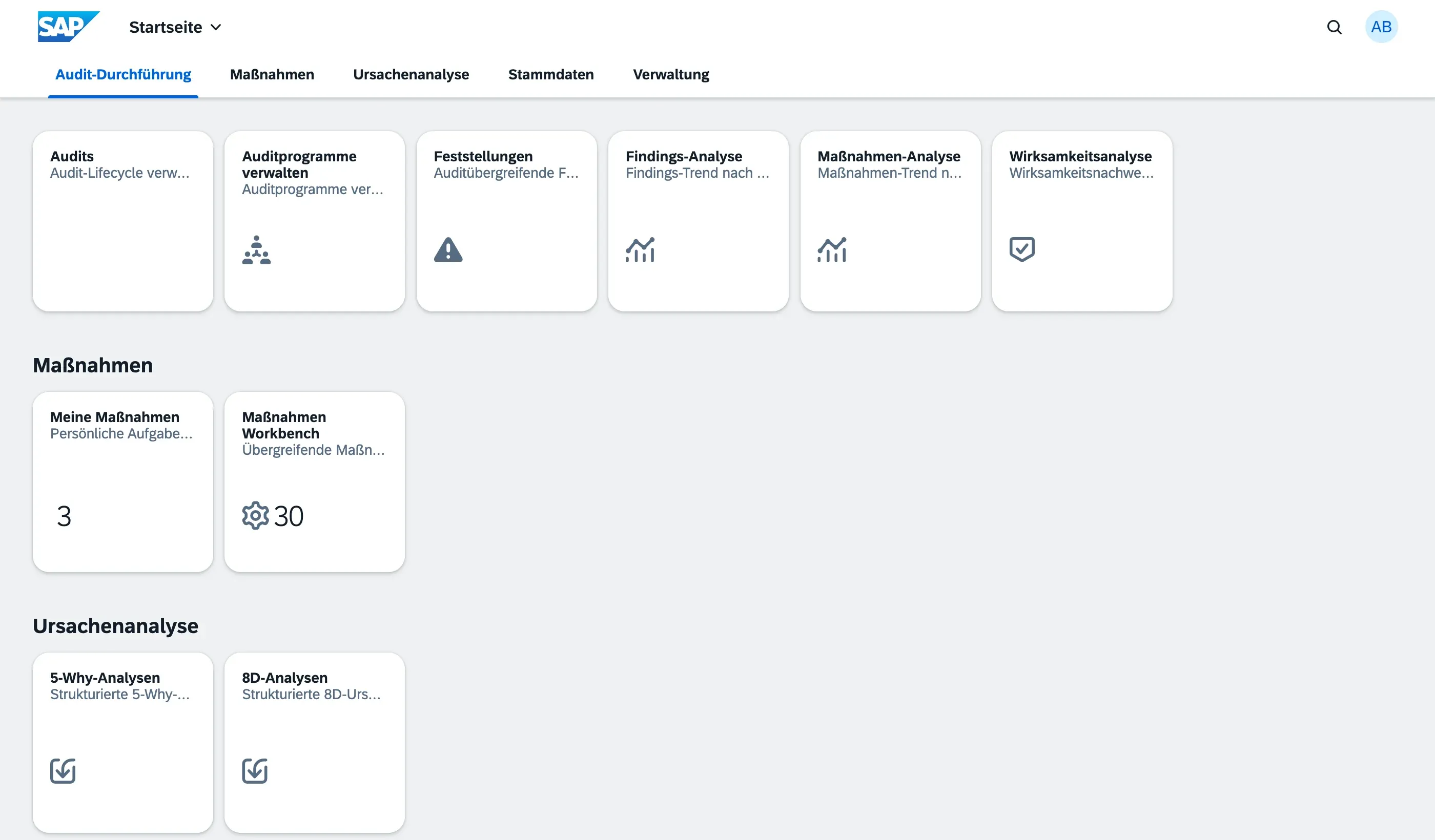
qportal is an audit and quality management application running on SAP Business Technology Platform (BTP). It supports the full audit lifecycle — from planning through execution to follow-up — and is aligned with ISO 9001:2015 audit practices.
Who uses qportal?
Section titled “Who uses qportal?”| Role | Responsibilities |
|---|---|
| Audit Manager | Plans audits and programs, assigns teams, manages the audit lifecycle, verifies action items |
| Auditor | Conducts audits, answers question catalog items, documents findings and creates action items |
| Auditee | Receives audit assignments, responds to findings, executes assigned action items |
| Master Data Admin | Maintains rating schemes, audit types, org units, persons, and other reference data |
See Roles & Permissions for a full breakdown of what each role can see and do.
Main Modules
Section titled “Main Modules”- Audits — Create and manage individual audits through their full lifecycle
- Audit Programs — Group related audits into a structured program (e.g. annual internal audit plan)
- Question Catalogs — Reusable, versioned checklists for audit fieldwork
- Findings — Findings identified during audits, tracked across the whole organization
- Root Cause Analysis — Structured 5-Why and 8D analyses of why a problem occurred, from a finding or standalone
- Action Items — Track corrective and preventive actions (CAPA) assigned from findings and root cause analyses
- Master Data — Reference data and configuration maintained by your administrator
Accessing qportal
Section titled “Accessing qportal”qportal is available via your SAP BTP Launchpad. Your administrator will provide you with the URL and your initial credentials.
See Navigating qportal for an introduction to the Launchpad, list and detail pages, and features shared across all modules (such as Change History and Attachments).