

Finding Lifecycle
Every finding follows a fixed lifecycle, independent from the parent audit status. New findings start as Open. Move a finding forward using the action buttons on its detail page — only the button for the next valid step is available at any given time:
| Status | Meaning | Action to move forward |
|---|---|---|
| Open | Finding has been identified and recorded | Start → In Progress |
| In Progress | Corrective action is being worked on | Verify → Verified |
| Verified | The correction has been checked | Close → Closed (requires the finding to be acknowledged by the auditee first) |
| Closed | The finding has been finally assessed | Archive → Archived |
| Archived | Documentation completed and archived (terminal) | — |
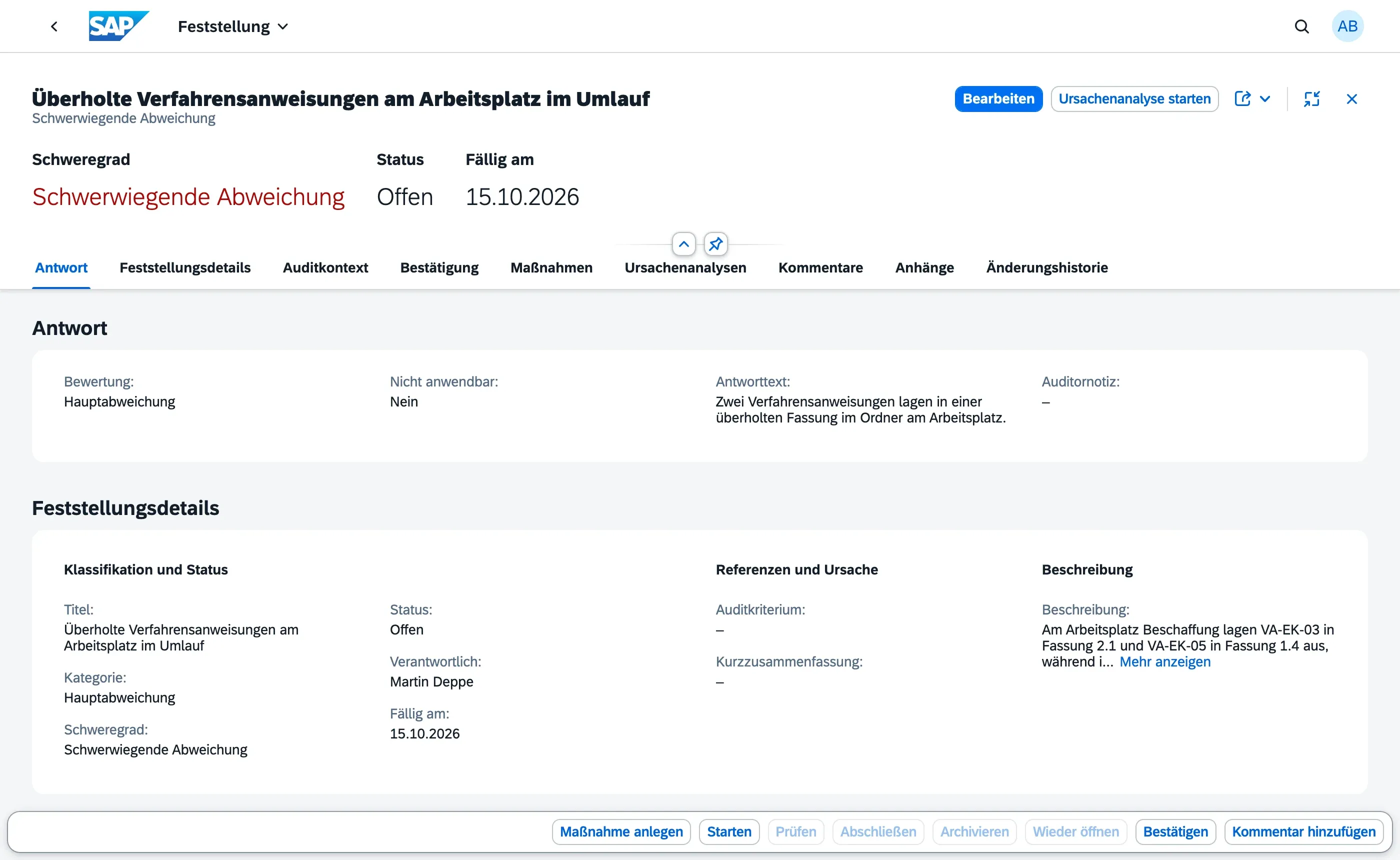
Use Reopen to move a finding from In Progress, Verified, or Closed back to Open — for example if verification reveals the corrective action was insufficient.
When you choose Start on a finding that has no root cause analysis linked yet, qportal shows a reminder that the cause has not been evaluated (ISO 9001:2015, 10.2.1 b). It is a note, not a block — the finding moves to In Progress either way.
Findings can be created and edited while the parent audit is In Progress or Completed — the review phase (Completed) still allows adjustments before publication. Once the audit reaches Findings Published, all findings become read-only, including their attachments.
A finding can also become read-only earlier, on its own: once a finding itself reaches Closed or Archived, its content and attachments are locked regardless of the audit’s status — a finding that has already been through the full verification cycle shouldn’t be edited retroactively. Attachments (evidence, photos) can still be added up to and including Findings Published, as long as the finding itself hasn’t reached Closed or Archived — supporting documents sometimes arrive after the fact.
Once the parent audit reaches Findings Published, the audited org unit’s Auditees can also see the finding — read-only — in the Findings Overview. Before that point, findings are only visible to Audit Managers and Auditors. From this point on, the auditee can also acknowledge the finding or add comments.
Acknowledgement doesn’t block Start or Verify — the audit team can work through corrective action regardless of whether the auditee has responded yet, so an unresponsive auditee never holds up remediation. It only gates the final Close step: a finding can’t be closed out until it has been acknowledged, either by the auditee themselves or recorded on their behalf by an Audit Manager or Auditor (for example, an external supplier without qportal access who confirmed verbally during the closing meeting).
A finding can be deleted only while its parent audit is still In Progress. Once the audit reaches Completed or later, deleting a finding is disabled — this preserves the audit trail once the review stage has begun.
Change History
Section titled “Change History”All changes to findings — including status changes, field edits, and who made them — are tracked automatically and visible in the Change History section at the bottom of each finding.
Next Steps
Section titled “Next Steps”- Creating & Classifying Findings
- Findings Overview — monitor findings across all audits